Built to Create and Run
THROW is projection mapping software built for creators — a timeline workflow that feels like home, mapping tools for any surface, and a show you can run live. Build in the tools you already use, then bring your work into physical space.
Create in the Tools You Already Use. Bring It to Life in THROW.
Design visuals in your favorite creative software, then import them into THROW to map, sequence, and present immersive projection experiences.
After Effects, Premiere, Photoshop, Resolve, Gemini → THROW → Physical Space
A Timeline Workflow That Feels Like Home
Tracks, clips, transitions, keyframes — if you’ve edited video, you already know how to build here.
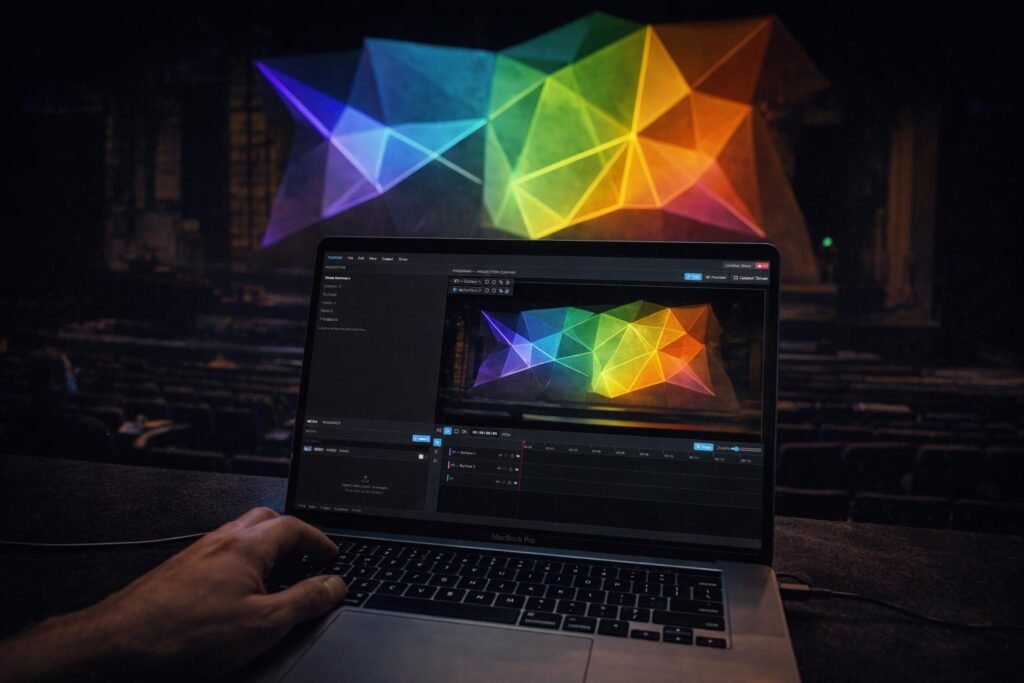
Multi-Track Timeline
Organize visuals, audio, and projection sequences across layered tracks in a familiar timeline workflow designed for immersive storytelling
Clip Trimming & Sequencing
Quickly trim, arrange, loop, and sequence media to build projection experiences that flow naturally from scene to scene
Keyframe Animation
Animate movement, opacity, brightness, and surface adjustments over time with intuitive keyframe controls built for dynamic environments.
Playback Controls
Control playback with precision using looping, in/out points, playhead scrubbing, and timeline navigation designed for real-time creative iteration.
Surface masking
Control exactly where visuals appear by masking portions of a projection surface for more polished and immersive compositions.
Compound cutouts
Create layered projection surfaces with internal cutouts and negative space for complex environmental projection designs.
Your Space Is the Canvas
Create projection surfaces for walls, objects, stages, installations, interiors, and irregular environments using flexible mapping tools designed for creative experimentation.
Quad Mapping
Quickly align visuals to walls, screens, objects, and architectural surfaces using intuitive corner-based mapping controls.
Polygon surface drawing
Create custom projection surfaces for irregular environments with flexible freeform shape drawing tools.
SVG surface import
Import vector shapes directly into THROW to build precise projection layouts from existing design assets.
Edge refinement
Fine-tune projection edges for cleaner alignment and more natural blending across complex surfaces and environments.
Surface masking
Control exactly where visuals appear by masking portions of a projection surface for more polished and immersive compositions.
Compound cutouts
Create layered projection surfaces with internal cutouts and negative space for complex environmental projection designs.
Run It Anywhere — Wired or Wireless
Build a show you can actually run. Set marks to stop, loop, jump, or blackout. Trigger them live. Drive multiple screens and projectors at once — each with their own content, perfectly in sync.
Marks & Live Cues
Set stop, loop, jump, and blackout points right on your timeline, then trigger them live as your show runs.
MIDI Control
Connect a MIDI controller and trigger marks, scenes, and blackouts with the touch of a button.
Multiple Throws
Build independent timelines for every screen and projector, a landscape wall, a portrait display, a floor projection, all synced from one master timeline.
Wireless Output
Send your show to iPads, phones, and smart TVs over WiFi. Scan a QR code and go fullscreen, no app, no extra hardware.
Live Show Panel
See what’s playing, what’s next, and what’s coming, with one-click blackout for the whole show or just one screen.
Easy to Calibrate
Photograph your space, mark a few points, and THROW lines everything up, even if your photo was taken from an angle